

Last week’s Parenting Digital Guide went a bit wild – and I’m so glad it did. Because it told me two things.
One: so many of us are trying to get on top of this.
And two: we’re all still feeling a bit overwhelmed by it.
Since sharing it, I’ve had so many messages, comments and conversations with parents, with many worrying about apps I’ve never even heard of!
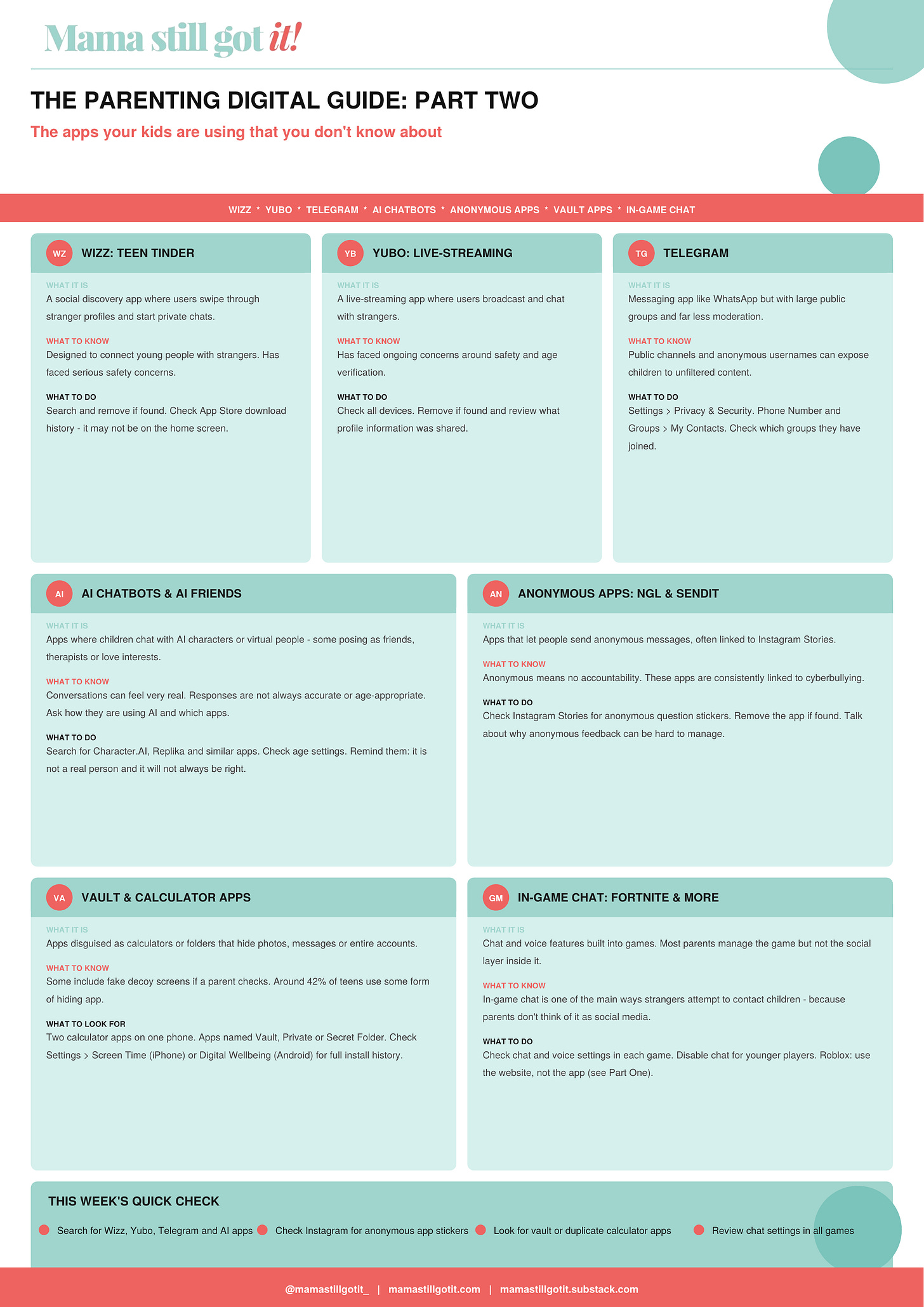
So this is Part 2 – the follow-up guide. These are the extra layer to keep on your radar (and yes, probably another one for the fridge). Just FYI I’m told ‘67’ is so last year…

Top Priority Checklist:
Before we get into specific apps, start here:
1️⃣ Check what’s actually installed
Go through the full app list – not just the home screen.
2️⃣ Look for multiple accounts
What you see isn’t always everything.
3️⃣ Ask, don’t accuse
“What apps are people using at the moment?” will tell you more than anything else.
The Apps Parents Often Miss
📱 Wizz – “Teen Tinder”
What it is:
A ‘social discovery’ app where users swipe through strangers and start chats.
What to know:
It’s designed to connect young people with people they don’t know.
What to do:
✔ Search for it and remove if found
✔ Check App Store download history (it may not be on the home screen)
🎮 Yubo – Live-Streaming “Friend Finder”
What it is:
A live-streaming app where users broadcast and chat with strangers.
What to know:
It has faced ongoing concerns around safety and age verification.
What to do:
✔ Check if it’s installed
✔ Remove and review what information was shared
📨 Telegram
What it is:
A messaging app similar to WhatsApp, but with large groups and less moderation.
What to know:
Public channels and anonymous usernames can expose children to unfiltered content.
What to do:
✔ Settings → Privacy & Security
✔ Phone Number → My Contacts (or Nobody)
✔ Groups & Channels → My Contacts
✔ Check which groups they’ve joined
For younger teens, many parents choose not to allow it.
🤖 AI Chatbots & “AI Friends”
What it is:
Apps where kids can chat with AI characters or “virtual people”.
What to know:
These conversations can feel very real but responses aren’t always accurate or age-appropriate.
What to do:
✔ Ask how they’re using AI
✔ Check age settings where possible
✔ Remind them: it’s not a real person, and it won’t always be right
💬 Anonymous Apps (NGL, Sendit, Tellonym)
What it is:
Apps that let people send anonymous messages, often linked to Instagram.
What to know:
Anonymous = no accountability. These apps are commonly linked to cyberbullying.
What to do:
✔ Check Instagram Stories for anonymous question stickers
✔ Remove the app if found
✔ Talk about why anonymous feedback can be difficult to manage
🗄️ Calculator & Vault Apps
What it is:
Apps disguised as calculators or folders that hide photos, messages or accounts.
What to know:
Some include fake “decoy” screens if a parent checks.
What to look for:
✔ Two calculator apps on one phone
✔ Apps called “Vault”, “Private” or “Secret Folder”
✔ Hidden or locked areas within apps
🎲 In-Game Chat
What it is:
Chat features built into games like Fortnite, Roblox, Minecraft and others.
What to know:
Most parents manage the game but not the social layer inside it.
What to do:
✔ Check chat and voice settings in each game
✔ Disable chat for younger players where possible
This Week’s Quick Check
✔ Search for Wizz, Yubo, Telegram and AI apps
✔ Check for anonymous apps via Instagram
✔ Look for vault or duplicate apps
✔ Review chat settings in games
Download the Parenting Digital Guides
Part one and part two are both here to save, download and share. Simply hold down and hit save image or click for the PDF version, share as far and wide as you can!
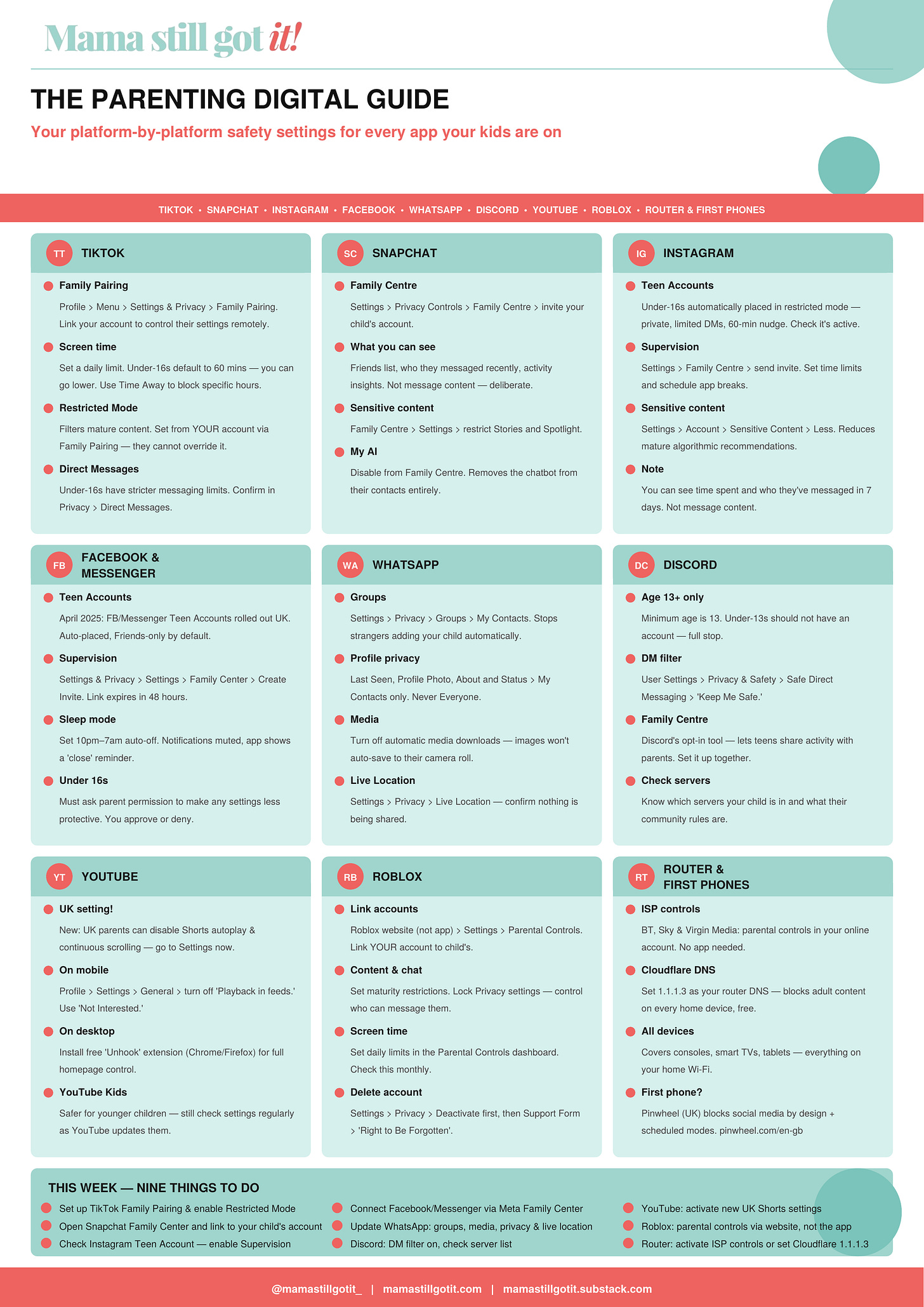
Part One: Platform-by-platform safety settings for all the main apps
Part Two: The apps your kids are using that you don’t know about
You can also share this full article too! Share >
📵 Smartphone-Free Childhood
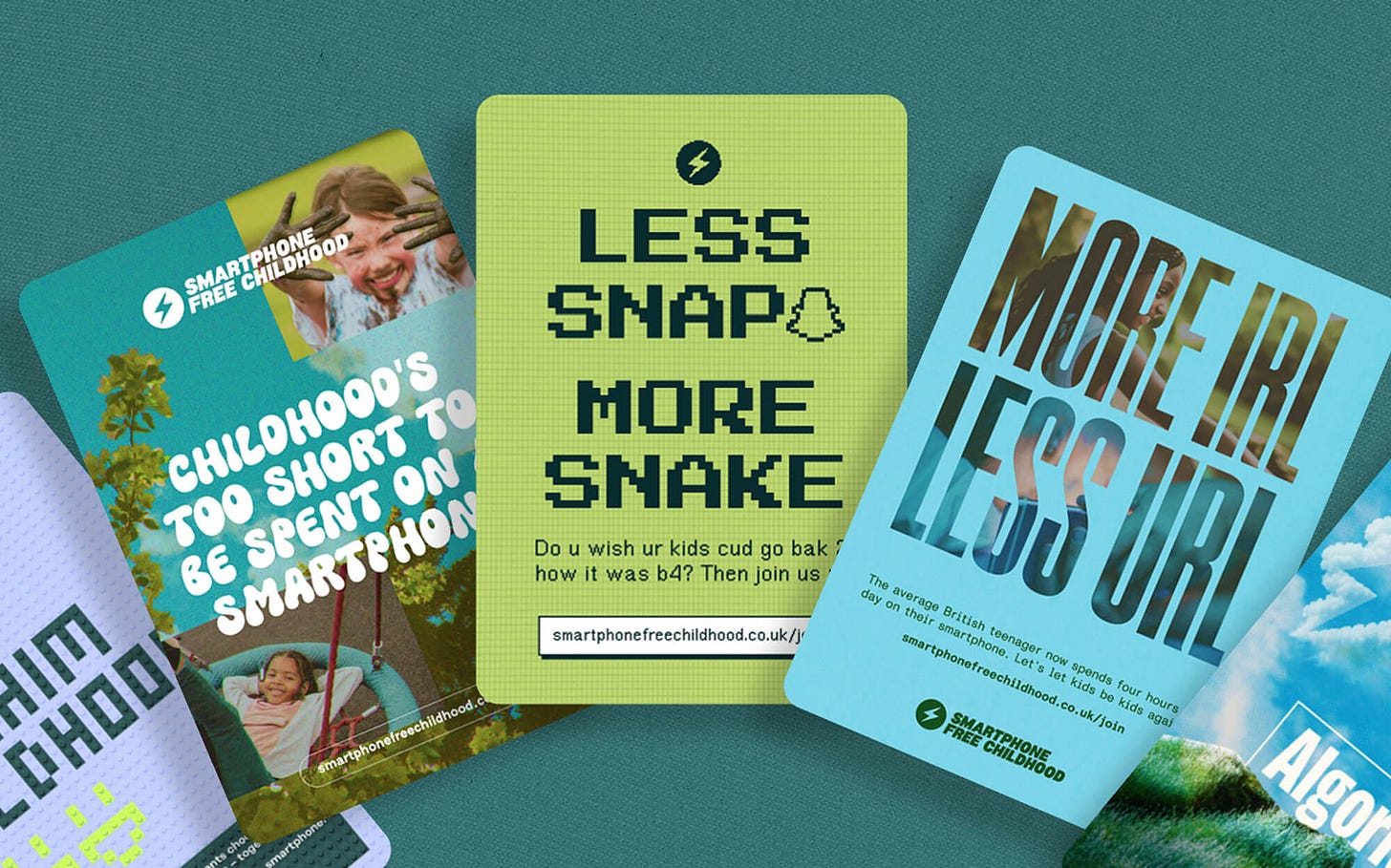
I’m going to keep this one here this week in case you haven’t had a chance to have a look after all the settings admin! Smartphone Free Childhood is a growing campaign across the UK. I am fully behind it, as well as many other parents I know.
It encourages parents to delay smartphones until age 14, and social media until 16 — giving kids more time before the pressures of algorithms, group chats and the endless scroll.
Thousands of parents and schools have already signed the pledge to raise the age.
If you’re curious, you can read more at smartphonefreechildhood.org and follow their Instagram for great advice.
Even if your child already has a phone, it’s one more reason these settings matter.
💛 App Shout Out – Qustodio
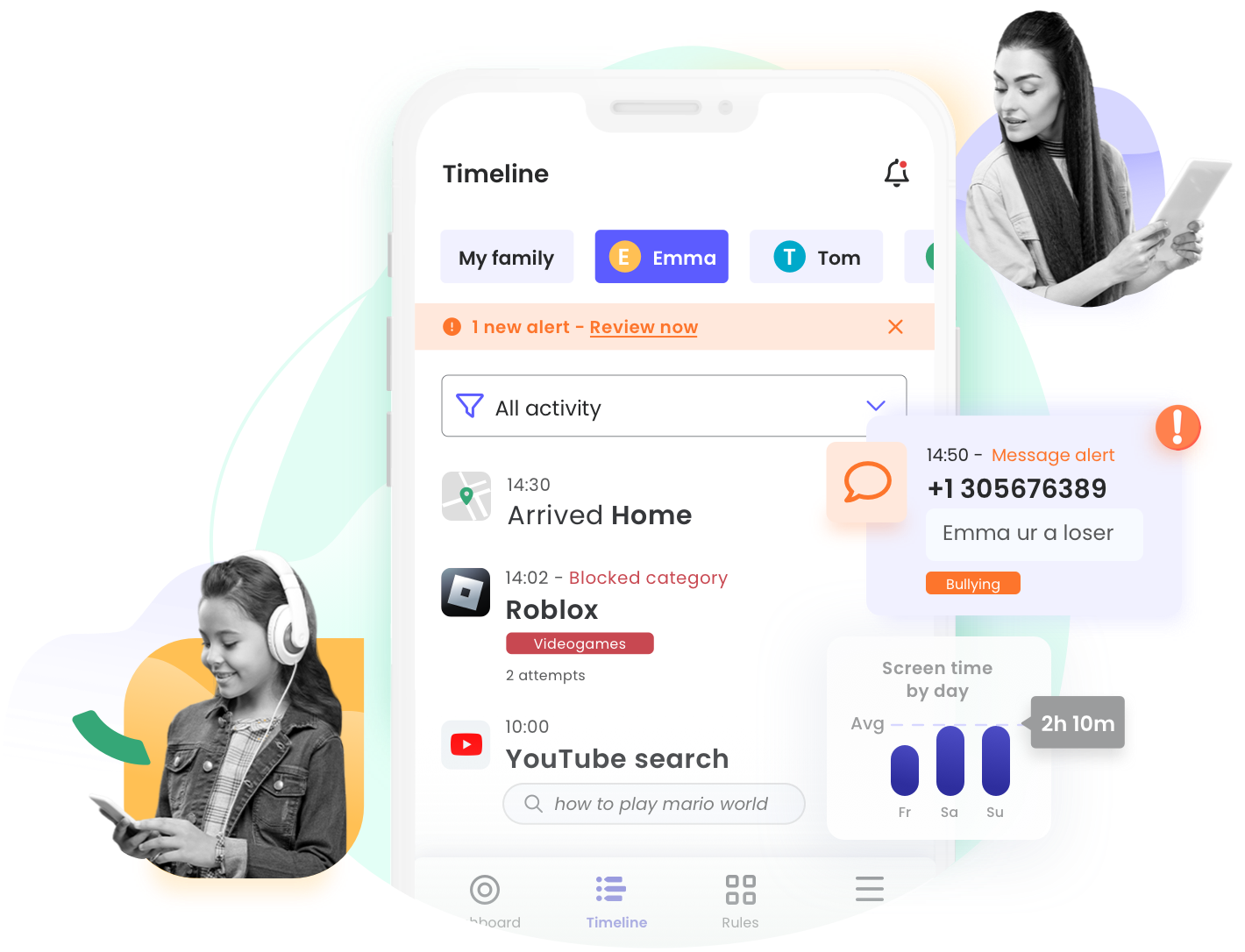
A parental control app that helps you manage what’s happening across your child’s devices.
You can set screen time limits, block specific apps, and filter websites – but what’s useful is that it also gives you a clearer picture of how your child is actually using their device day to day.
It’s not a replacement for conversations, but it can make those conversations a bit easier to have. Worth exploring if you want something alongside the settings in this guide.
❤️ A Little Extra – 20% Cult Beauty
A reminder of the little Mother’s Day treat from me to you. I’ve put together a Mama Still Got It x Cult Beauty edit with some of my go-to beauty products – the ones I actually use and love.
Even better, you can get 20% off sitewide (with the usual exclusions) using my code:
There are so many brilliant brands on Cult Beauty, so it’s a good time to stock up on favourites or try something new.

Shop Now >
You’re not expected to know every app. But being aware of what’s out there and having open conversations about it makes a bigger difference than any single setting ever will.
Because this isn’t a one-time fix. It’s something we stay on top of, bit by bit.
I will be back next week with my Easter Holiday Guide, so you can expect the usual things to do, place to eat and ways to stay sane!
Louise x
*Affiliated links used for some products and brand partnerships.